Quick links
TL;DR (Quick Answer)
If you need an email finder for your sales team, EmailListVerify is a strong starting point for most, with SMTP-level verification, sub-1% bounce rates on verified lists, and pay-as-you-go pricing from $5 for 1,000 verifications. Teams with irregular outreach volume should look at Anymail Finder, where you only pay for fully verified results and unused credits never expire.
Finding verified email addresses is often the slowest part of building a prospect list. Between company websites, LinkedIn profiles, and guessing email formats, it’s easy to spend more time looking for contact information than actually reaching out.
Email finder tools speed up the process by searching large contact databases, identifying likely business email addresses, and, in many cases, verifying that those addresses are still active before you send a campaign.
We’ve compared 10 popular email finder tools, looking at their search capabilities, verification features, pricing, and the types of teams they’re best suited for.
Finding verified email addresses is often the slowest part of building a prospect list. Between company websites, LinkedIn profiles, and guessing email formats, it’s easy to spend more time looking for contact information than actually reaching out.
Email finder tools speed up the process by searching large contact databases, identifying likely business email addresses, and, in many cases, verifying that those addresses are still active before you send a campaign.
We’ve compared 10 popular email finder tools, looking at their search capabilities, verification features, pricing, and the types of teams they’re best suited for.
Key takeaways
- A bounce rate above 2% is where inbox providers start filtering or blocking your domain, making SMTP-level verification the single most important feature to check before buying.
- Anymail Finder’s pay-per-verified-result model means unverified and not-found searches cost nothing, which shifts deliverability risk away from the buyer entirely.
- An independent Ahrefs benchmark found Voila Norbert achieved a 77% correct-find rate, though its coverage is lower than many competitors.
- Reply.io’s free tier includes 200 email-finding credits per month alongside an AI sequence builder, making it one of the most generous free plans here for teams running full outbound cycles.
- Clearbit’s standalone contracts run from $12,000 to over $50,000 per year, so it’s only worth evaluating as an add-on to an existing HubSpot investment, not as a primary discovery tool.
- Credit rollover policy is consistently underweighted at the buying stage. Tools like Anymail Finder and Snov.io roll credits forward indefinitely, while AeroLeads, GetProspect, and Hunter.io reset monthly regardless of usage.
Quick comparison: 10 email finder tools at a glance
The table below compares the main differences before we look at each tool in more detail.
| Tool | Best for | Free plan | Starting price |
| EmailListVerify | Bulk verification + email finder | 100 emails free | $5 PAYG / $16/mo subscription |
| Hunter.io | Domain search + outreach in one interface | 50 credits/month | $34/month |
| Kaspr | LinkedIn-native prospecting with phone data | 5 email credits/month | $49/month |
| Snov.io | Flexible search types + deliverability tools | 50 credits (trial) | $39/month |
| Reply.io | Full sales engagement with built-in discovery | 200 data credits/month | $49/month |
| Clearbit | Deep enrichment for HubSpot teams | No free plan | Custom (annual) |
| AeroLeads | High-volume LinkedIn extraction | 10 trial credits | $49/month |
| Voila Norbert | Simple, accurate single-contact lookup | 50 one-time credits | $39/month |
| Anymail Finder | Pay-per-verified-result model | 100 credits (on sign-up) | $29/month |
| GetProspect | Large B2B database + bulk export | 50 valid emails/month | $34/month (annual) |
The summaries below explain where each platform stands out, what limitations to be aware of, and which teams are most likely to benefit from it.
Key features to look for before you buy
Verification depth is the most consequential factor. Syntax checking confirms that an address is formatted correctly. SMTP server validation confirms that a live mailbox actually exists at that address. Only the latter protects your sender reputation. A bounce rate above 2% is widely cited as the threshold where deliverability damage begins.
Search flexibility matters for teams with varied prospecting needs. Some tools only support domain-level searches. Others support named-contact lookup, social handle search, or ICP-based filtering against a proprietary database. Mixed-use teams generally need all of these in one place.
A few other factors that tend to get underweighted:
- Credit rollover policy: Teams with irregular outreach cycles should prioritize tools where unused credits carry forward: Tools that reset monthly penalize inconsistent volume.
- LinkedIn Chrome extension: For SDR teams, a browser extension that surfaces contact data on LinkedIn eliminates a separate lookup step and speeds up list-building.
- Compliance coverage: GDPR and CCPA compliance isn’t optional for teams with European contacts. Tools that align with these frameworks reduce legal exposure.
- CRM integration quality: A native integration keeps contact records current automatically. Zapier-based connections require more maintenance and introduce lag.
Pricing structure deserves its own consideration. Credit-per-search models charge whether or
not the returned address is deliverable. Pay-per-verified-result models, like Anymail Finder’s, only deduct a credit when a fully verified address is returned. For teams concerned about credit waste, that structural difference matters.
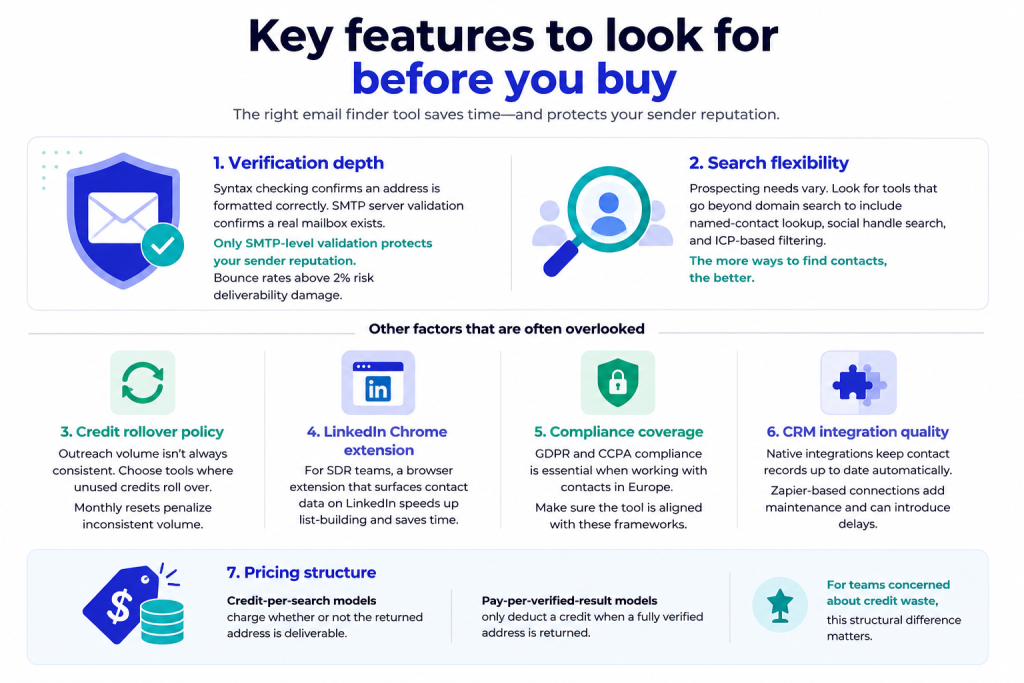
Email finder tool features to look for before you buy
1. EmailListVerify
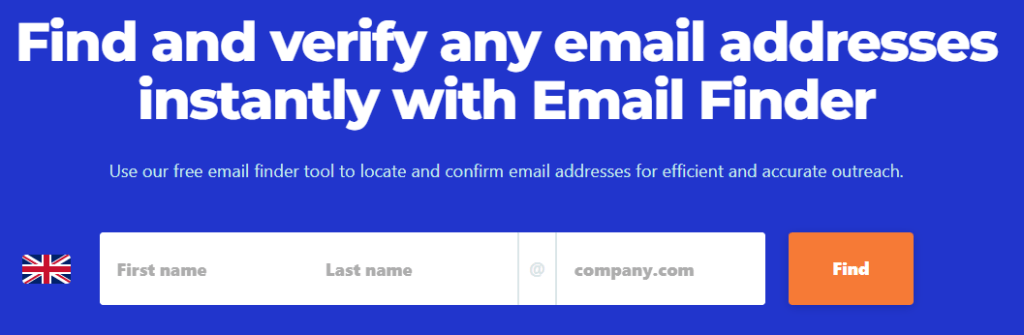
EmailListVerify’s email finder
EmailListVerify combines email finding with a comprehensive verification pipeline, giving sales and recruiting teams a way to build prospect lists without sacrificing deliverability.
Every address returned by the email finder API is verified before it reaches your outreach list, lessening the risk of hard bounces and protecting sender reputation.
Verification goes beyond basic syntax checks. The platform validates domains and MX records, performs live SMTP server checks, identifies disposable email addresses and spam traps, and flags catch-all domains.
Results are clearly categorized as valid, invalid, catch-all, unknown, or disposable, making it easy to decide which contacts belong in your next campaign.
Bulk verification is equally well suited to high-volume workflows, processing thousands of email addresses in minutes. For teams managing large prospect lists, that combination of speed and verification depth helps keep bounce rates low while improving overall deliverability.
Pricing is competitive, with both pay-as-you-go and subscription options. Pay-as-you-go starts at $5 for 1,000 verifications, with credits that never expire. Monthly plans start at $16/month for 5,000 verifications, and you can verify your first 100 emails free with no credit card required.
[Try free email finder] https://emaillistverify.com/email-finder
2. Hunter.io
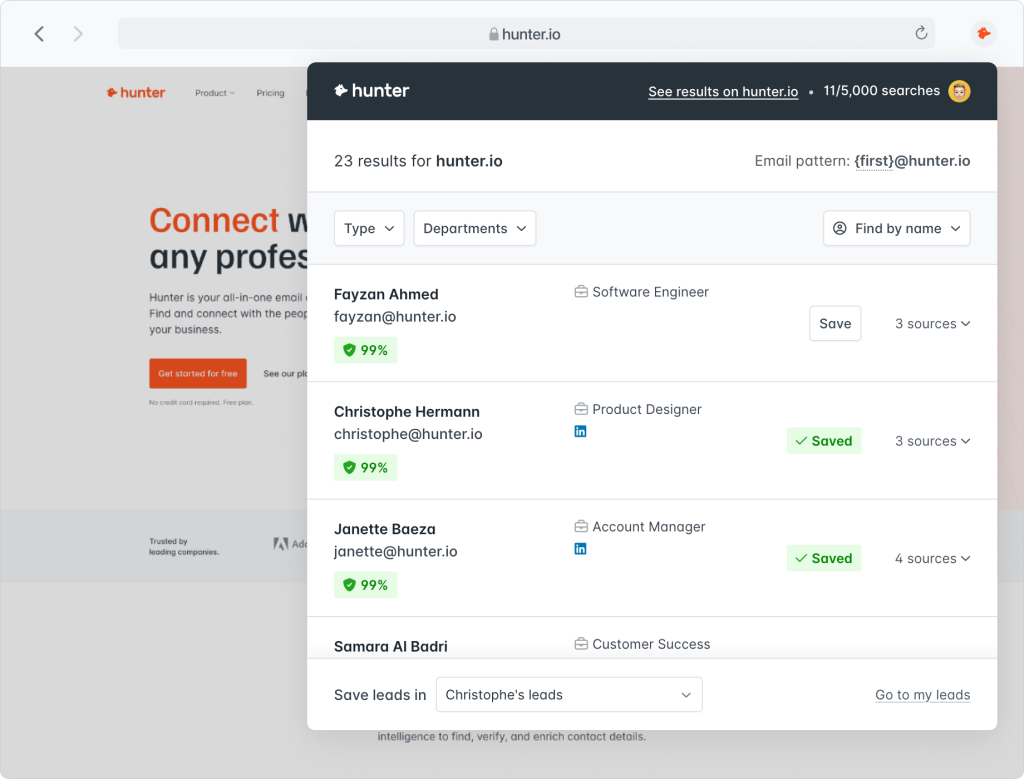
Source: Hunter’s Chrome extension email finder example
Hunter’s core strength is the tight integration between finding, verifying, and acting on addresses inside a single interface. Instead of toggling between a discovery tool, a verifier, and a campaign platform, Hunter keeps all three connected. That reduction in context-switching is a real time-saver for teams running regular outbound sequences.
Three search modes work together naturally. Bulk domain search surfaces all publicly findable addresses associated with a company. Named-contact lookup takes a first name, last name, and domain and returns the most probable verified address.
Individual address verification checks a specific address without running a broader search. The Google Sheets add-on is a practical differentiator for teams that manage prospecting lists outside a CRM.
Hunter’s Signals feature moves the platform beyond reactive lookup. It surfaces companies showing recent intent signals related to your market, letting you identify outbound targets before a competitor does.
Verification uses syntax checks, gibberish detection, MX record lookup, and live SMTP server pings. Catch-all domains get flagged as risky rather than verified, which is the correct behavior.
The free plan covers 50 credits per month. Paid plans start at $34/month billed annually for 1,000 search credits and 2,000 verification credits. Unused credits do not roll over.
3. Kaspr
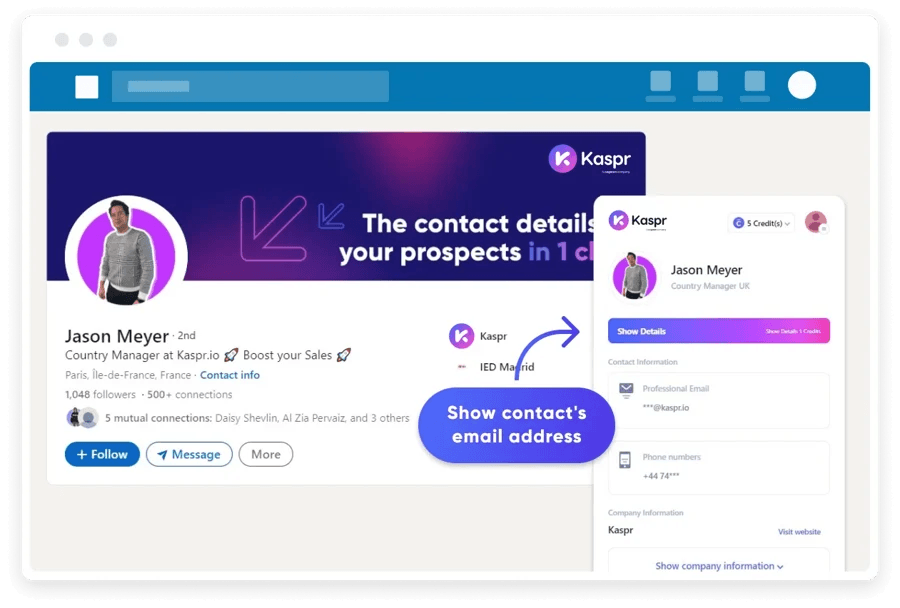
Source: Kaspr’s email finder extension example
Kaspr is built specifically for LinkedIn-centric prospecting. The Chrome extension surfaces email addresses and direct phone numbers on LinkedIn profiles, Sales Navigator, and Recruiter without requiring the user to leave the platform.
For SDRs who spend most of their prospecting time on LinkedIn, building a filtered list and extracting contact details in bulk takes a fraction of the time manual lookup requires.
Phone number coverage is another popular feature. Where most email finder tools stop at email addresses, Kaspr surfaces direct-dial mobile numbers and corporate lines alongside business emails. Teams running multichannel outreach get both data types in a single export.
Kaspr’s data practices align with GDPR and CCPA requirements, which matters for sales teams covering European markets. When Kaspr can’t find data for a profile, it tells you immediately rather than returning a blank result silently, which helps teams avoid wasting time on dead-end lookups.
CRM sync covers HubSpot, Salesforce, Pipedrive, and Lemlist, with Zapier for custom workflows.
The free plan provides five email credits and five phone credits per month. The Starter plan runs $49/month for 60 direct emails and 1,200 phone numbers annually.
4. Snov.io
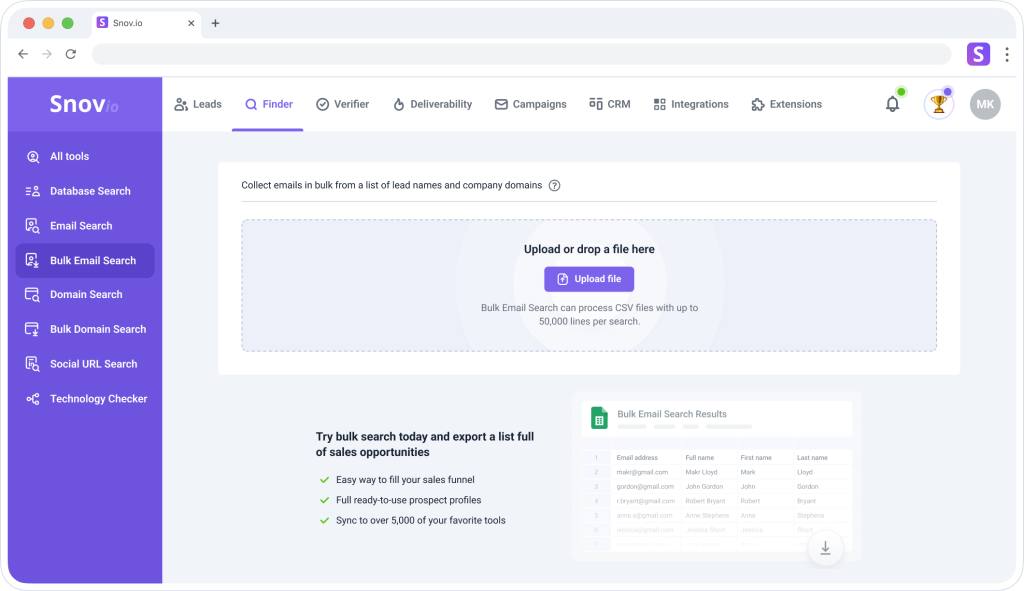
Source: Snov.io’s bulk email finder dashboard
Snov.io’s stand-out quality is the range of ways you can define a search. Beyond the standard domain-plus-name input, Snov.io supports social handle search and tech-stack filtering that lets you target users of specific software platforms.
Its ICP-based prospecting draws on a database of 75 million+ verified B2B contacts, which makes it well-suited to teams that want to define their target audience precisely before running outreach.
The deliverability toolset is more developed than most competitors at this price point. A spam-test feature checks outgoing emails before they send, flagging content or header issues that could trigger filters. The email warm-up tool helps new sending domains build positive reputation gradually.
Verification runs seven steps: syntax, gibberish, domain, MX record, and active SMTP pings, plus specialized handling for greylisted servers and catch-all detection. Catch-all addresses are flagged yellow rather than counted as verified.
Unused credits roll over as long as the subscription stays active. Pricing starts at $39/month for 1,000 credits, with a free trial providing 50 credits.
5. Reply.io
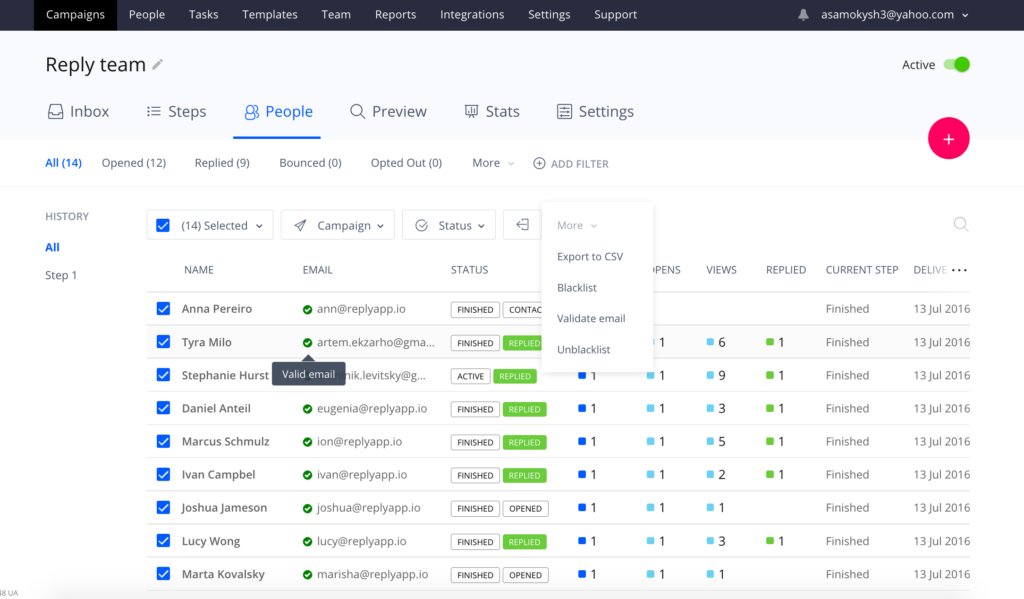
Source: Reply.io’s email finder dashboard
Reply.io is a sales engagement platform first, with email discovery built into a broader suite that includes AI-assisted email writing, automated sequences, and sender reputation management.
Its Reply Data product draws on a database of 85 million+ professionals, and search filters are more granular than most standalone finders: job title, location, department, seniority level, company revenue, and employee headcount.
The free tier includes 200 email-finding credits per month alongside the AI sequence builder. That’s one of the more generous free plans on this list.
Paid plans start at $49/user/month for email automation. Unused database search credits reset monthly and don’t carry over, so teams with irregular prospecting cycles should budget accordingly.
Reply.io rewards teams that plan to run the full cycle, discovery, writing, sequencing, and tracking, inside a single platform. Teams that only need address lookup will find the feature breadth excessive. But for teams that want one tool to handle the entire outbound workflow, the consolidation means less integration overhead.
6. Clearbit (now part of HubSpot)
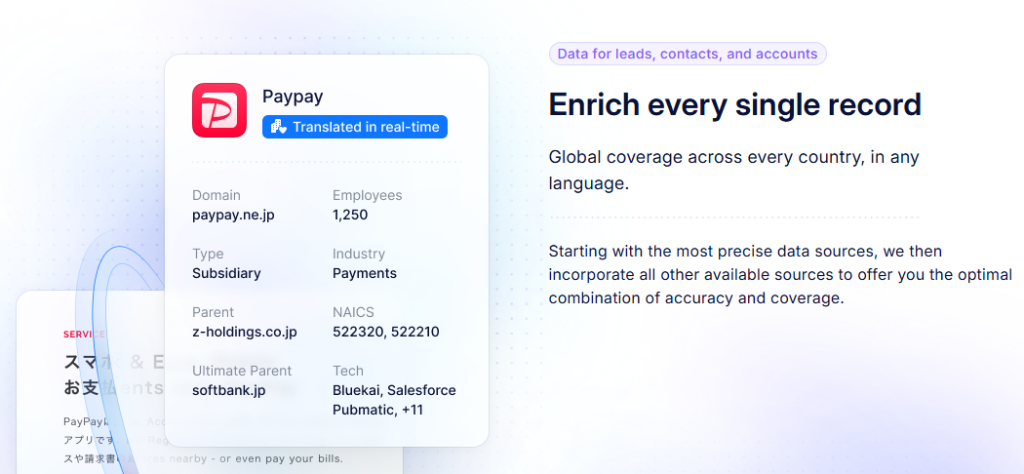
Source: Clearbit website
Clearbit’s primary distinction is enrichment depth rather than raw address finding. Where most tools return an email and perhaps a job title,
Clearbit can append 100+ firmographic and technographic data points to a contact record, including social profiles, company funding stage, employee count, and technology stack details, and update those records in real time when attributes change.
The Connect Chrome extension runs domain and named-contact searches from the browser and returns enriched profiles, not just addresses. This is a great feature for researchers and account executives who want full context on a prospect before initial outreach.
Pricing is the friction point. Under HubSpot, Breeze Intelligence credits start around $30/month for 100 enrichment credits. Standalone Clearbit contracts are annual agreements, typically ranging from $12,000 to over $50,000 per year depending on consumption volume. That pricing structure suits enterprise teams with continuous enrichment needs and existing HubSpot infrastructure.
For smaller teams, Clearbit is best assessed as an add-on to an existing HubSpot investment rather than a primary discovery tool.
7. AeroLeads

Source: AeroLeads’ email finder extension
AeroLeads indexes more than 500 million business emails and 120 million personal emails, with 11 search filters covering name, job title, location, industry, and more.
The deepest integration is with LinkedIn. Users can pull email addresses directly from a profile via the Chrome extension, and the tool surfaces full LinkedIn profile data and phone numbers alongside addresses. It also indexes Crunchbase and Xing, broadening the contact pool beyond LinkedIn-only tools.
Verification runs across 12 data points per address using live SMTP server pings as the primary confirmation method. Teams that want to both find and contact prospects without leaving the platform will find that AeroLeads also supports outreach campaigns with templates and basic analytics.
Pricing starts at $49/month for 2,000 monthly credits with 80 guaranteed personal phone numbers included. A limited trial provides 10 free credits. Credits reset monthly and don’t roll over, so this works best for teams with consistent monthly prospecting volume.
8. Voila Norbert
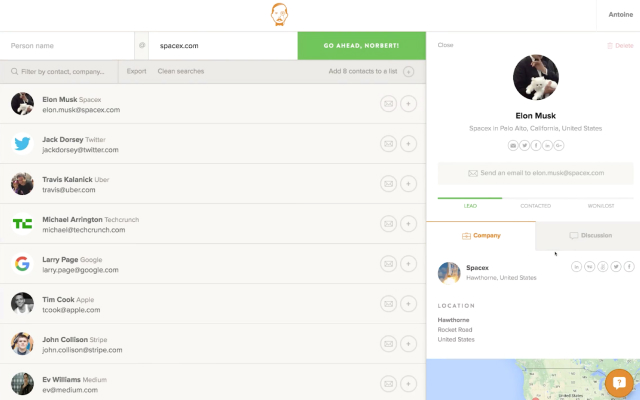
Source: Voila Norbert email finder
Voila Norbert keeps email discovery simple. Enter a first name, last name, and company domain, and the platform searches for the most likely business email address in seconds. An independent Ahrefs benchmark reported a 92% correct-find rate, giving it one of the highest accuracy scores in that comparison.
The tradeoff is coverage. Compared with multi-source email finders, Norbert returns fewer results overall because it prioritizes confidence over volume. If an address can’t be verified with sufficient confidence, it simply isn’t returned.
An optional enrichment feature adds missing contact details to existing email lists, which is useful for updating older prospect databases. Email verification is available as a paid add-on, with Voila Norbert reporting a 98% deliverability rate for verified addresses.
Pricing starts at $39/month billed annually for 1,000 leads. Unused credits roll over while your subscription remains active, and new users receive 50 free credits to test the platform.
9. Anymail Finder
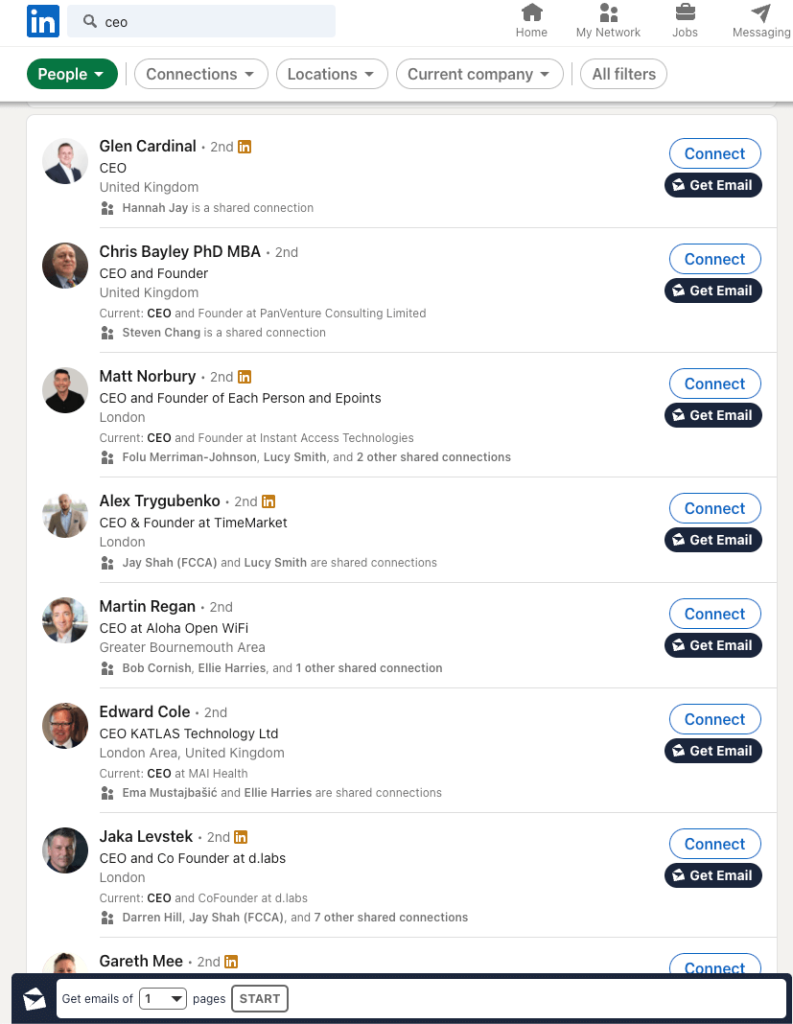
Source: Anymail Finder’s email finder
Anymail Finder’s pricing model is its most distinctive feature, and it changes the risk calculus for prospecting teams. You only pay for fully verified results.
Every search returns two tiers: fully verified addresses with a guaranteed 97% deliverability rate, and partially verified addresses confirmed at 70% or above. Credits are deducted only for fully verified results. Partially verified and not-found results are free.
If a fully verified email hard bounces, Anymail Finder issues a refund.
The pre-download bulk audit extends this logic. You can upload a contact list and Anymail Finder will analyze it and tell you exactly how many verified addresses it can find before you pay anything. Payment triggers only when you choose to download the enriched list.
The LinkedIn Chrome extension works with both standard LinkedIn and Sales Navigator. Native integrations outside LinkedIn are limited, though a well-documented API supports custom workflows and Zapier connections.
Pricing runs from $29/month for 1,000 verified email credits. Unused credits roll over indefinitely on active subscriptions, making it one of the better options for teams with seasonal or irregular prospecting volume.
10. GetProspect
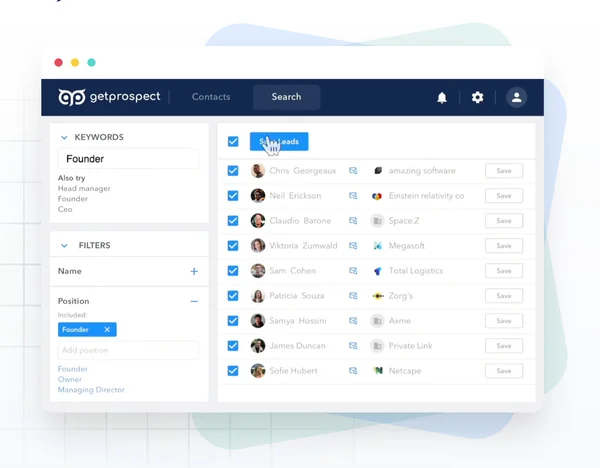
Source: Get Prospect prospecting dashboard example
GetProspect’s B2B database covers 230 million+ contacts, placing it among the larger options on this list.
The Chrome extension works across LinkedIn, company websites, Crunchbase, and Xing, giving teams more ways to find contact information without switching between tools. It can also generate lists of up to 2,500 leads in a single prospecting session, with cleaned data ready to export.
Verification returns four clearly labeled categories: valid, invalid, risky (catch-all), and unknown. That granularity lets teams decide which addresses to include in high-deliverability campaigns versus which to treat as lower-confidence.
The platform also covers 13 enrichment attributes for contact records, including company size, revenue tier, industry, and geographic data.
The free plan provides 50 valid emails and 100 verifications per month. CRM integration covers HubSpot, Salesforce, Pipedrive, and Zoho natively, with Gmail and Outlook supported for direct outreach.
Paid plans start at $34/month billed annually for 1,000 valid emails and 2,000 verifications. Unused credits reset monthly.
How to choose
The best email finder for your team depends on use-case fit, not feature count. A team running high-volume LinkedIn prospecting has fundamentally different needs than a solo recruiter doing 20 targeted lookups a week.
A few clear paths from this comparison:
- Bulk verification with accessible pricing: EmailListVerify. PAYG from $5 for 1,000 verifications, credits that never expire, and SMTP-level verification across the pipeline.
- Irregular volume, budget-conscious: Anymail Finder. Pay only for verified results, unlimited credit rollover.
- HubSpot ecosystem: Clearbit’s enrichment depth is hard to match, but only justifiable within an existing HubSpot investment.
- Full outbound cycle in one platform: Snov.io or Reply.io, depending on whether you prioritize search flexibility or AI-assisted sequencing.
- LinkedIn-native prospecting with phone data: Kaspr.
For any team, the safest starting point is a free tier or trial. Almost every tool here offers one. Test with real prospects from your actual target market, and pay close attention to verification accuracy, it’s the metric that most directly protects your sender reputation.
Finding a prospect’s email address is only half the problem. Sending to an unverified one can quietly damage your sender reputation before your campaign gets started.
EmailListVerify runs every address through syntax checks, MX record validation, SMTP server handshakes, spam trap detection, and disposable address filtering. Pay-as-you-go pricing starts at $5 for 1,000 verifications, and you can verify your first 100 emails free with no credit card required.
Join Our Monthly Newsletter
Learn how to improve email deliverability and clean your email lists with and more.